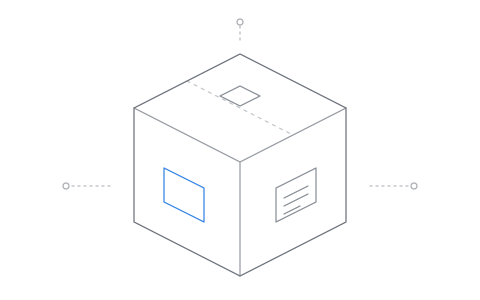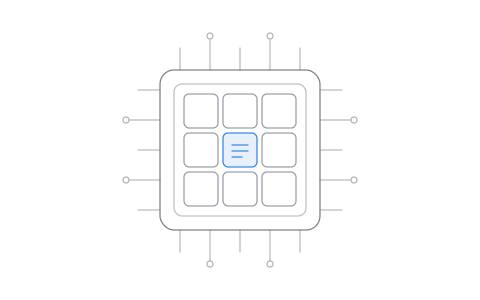
Here's a simple idea: full control of the application surface layer, at the lowest level. Essentially "bare metal".
In Linux there are many different ways to manage and control an application's surface area: namespaces, cgroups, Landlock, various containers and runtime environments. All of these are very common in modern Linux, with different pieces used by different formats such as Flatpak and Snap. Not to mention the many different ways apps are run, loaded, or pulled into environments within Linux.
The problem for us? Not a single one of these works on its own to fully control the application surface layer.
First we need to define something so everyone's on the same page. What do we mean by application surface layer? Put plainly, it is what an application is allowed to touch, how an application is allowed to act, and the gates, interfaces and sockets an application is expected or allowed to use. An application surface is a table top game with a rule book, where rolling the dice has an expected and defined outcome for every player, and where all applications are treated as equal players. The word equal matters more than you'd realise at first glance.
Let's start with an example and a mild thought experiment. We have two applications: a web browser, and a new and exciting chat app everyone's calling the Discord killer.
We've just paid some bills online, ordered a new headset and placed our bets on which politician is going to fall down the stairs next, loading up our browser with our personal and financial information. All the while we're sharing our excitement in this new chat program: we just bought a new headset and we can't wait to jump into voice chat.
**9:42pm PST:** @TechNewsSuperAwesomeMakingAdMoney just posted "breaking, new chat app caught downloading local browser data from 80 billion users!". Now all your banking and personal details are being converted into RooBloox coins, and the bank statement you just sent is going to bounce the moment the transaction hits.
Maybe this is the user's fault? The user should never have installed something brand new that everyone was excited about. Something 20 of their friends just installed and excitedly recommended. Or we can argue it's obviously the app developer's fault.
**10:00am EST:** HappyMorningDaily goes live with a real time interview with said chat app's CEO. Turns out there was a bug in the system that no one caught. They're working super hard on fixing it right away, and promise to focus on regaining users' trust and loyalty.
**10:15am EST:** EquiFux emails scatter to affected users. Subject: New SpookyNet scanner is available for account holders and affected users. For $49.99, EquiFux will tell you when someone on SpookyNet converts your money into RooBloox coins.
**2:30pm EST:** Some random attorney general stands in front of 250 reporters on the steps of something that looks official. They're working on a new "multifaceted class action lawsuit", and you can't wait to get your $1.99 in 16 years.
At the end of the day none of this matters. It's all noise. Now we need to play a game: find the failure level and fix it so it never happens again.
Your personal and financial data should be protected, and we already have a few ways to do this. Maybe we should put the browser into a container? That would be safe: all your records and cache would be safe from outside applications. But now it's strange or difficult for grandpa mrBoat to download Yacht_Club_Weekly.pdf. And the truth is, when security features create friction, they are no longer features. They are boundary filters, and users will always choose the option without these "features".
Maybe we should have run our new chat app inside a container instead. That's obviously the better idea, right? It works great and keeps a program we don't necessarily know or trust partitioned away from everything else.
**12:09am:** SupperHackor67's new headset isn't working.
**12:10am:** Someone just posted a link to ReddIT with a fix.
**12:35am:** SupperHackor67 hops into voice chat, excited that his mic is working.
**12:36am:** The chat app starts uploading browser data to SpookyNet.
**10:15am:** SupperHackor67's mom's automated car payment is declined for insufficient funds.
Now we need to play another game. Find the failure level.
It was obviously the user? To get the headset working, they restarted the chat app outside of the container. The container was obviously there for a reason, so why would a user do something like that? The truth? Users do all sorts of things when they sense friction.
So if the container is the source of friction, maybe the container is the failure level? But wait: without a container, most applications can read and write almost anything on the system.
Let's pay very close attention to language, the words we use and what they can tell us. A moment ago we said "without a container most applications can read and write almost anything on the system". One simple word here, "without", gives us the entire answer to our game. Why is this word important? Because it points directly at something at the system level being fundamentally flawed or incomplete.
Take our base system: run process, process runs. That's mostly it. Now add extra security, sandboxing, hell, call it containers. The problem is fundamental: the solution is always additive. When the solution becomes friction, users will always look for ways to remove that friction. Worse, when the solution is additive, bad actors will always find a way to be subtractive.
This means one thing: to solve certain problems at a fundamental level, those problems must be solved at the system's fundamental level, never added on top.
Getting into the tech, we could use pieces that already exist. Landlock is a great idea: we can tell a process what it can and can't see on the file system. cgroups are great: we can group process loads into defined groups and even limit system resource usage. And there are all sorts of special tools that "do one job and do it well", the entire Unix philosophy. The problem is that last word, "philosophy". A system isn't a philosophy, and philosophy has cost Linux a lot more than people would care to admit.
Philosophy aside, we needed a simple answer to our problem. Once we understood that additive always reduces to subtraction, we looked at the available tools. Not a single tool at the lowest level of our system can fix the entire scope of our problem without adding something, and as we already know, additive always reduces to subtraction. Not to mention that several systems working in tandem to do something they were never designed to do is an architectural nightmare.
Our answer to this is AppCrates. It took us a while to get here, so let's explain.
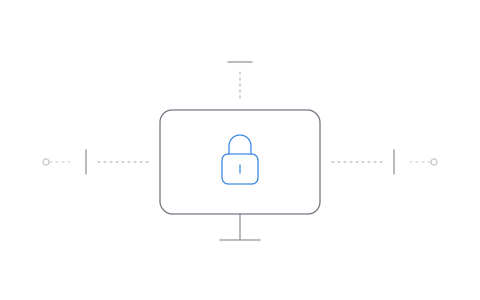
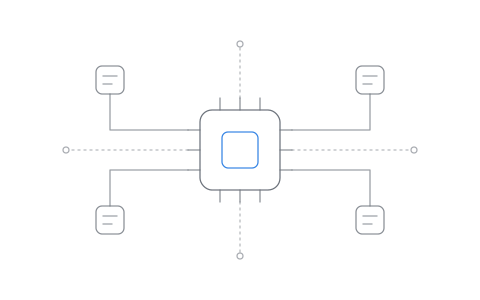
At the lowest level, applications on DivisionOS are never allowed to simply run. In fact it's not even possible. It's gated at the kernel level, and there is simply no "process run" for a random binary. Instead everything is run as an AppCrate.
Notice again, language and its importance here: "run AS an AppCrate" as opposed to "run IN an AppCrate". AppCrates are not containers. Rather they are the application layer at the lowest level, while also providing permissions and gates.
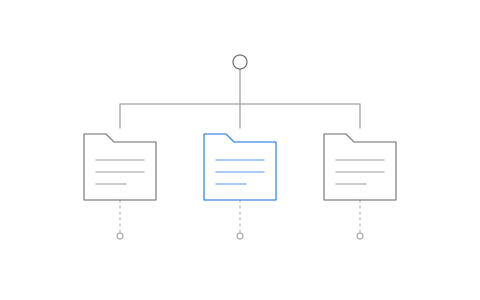
So what actually is an AppCrate? Put plainly, an AppCrate is the application, as far as the kernel is concerned. The moment a program starts, the kernel makes it a crate. Everything that program starts after that, every helper, every child process, every little launcher that launches another launcher, gets its own crate, tethered to the one that started it, and it never gets more than that crate has. Every application is required to run as an AppCrate at the kernel level, with no option to run outside of one. The browser is a crate. The chat app is a crate. All of it at the kernel level. Equal players.
::crates
If we look closely, one of our primary points of failure is files themselves, and what lives on the disk. This is a very basic fundamental that affects everything on the system. We solve that by making sure every application runs at one of three levels. Full is what you'd expect: the application can reach everything your account can reach. Setting an application to Limited locks the application down to its bare minimum. The application gets what it needs to run in a normal setup and nothing else. No home folder, no drives, no other programs' folders, only what it needs and what the user has given it. Ephemeral is exactly that: it's ephemeral. The moment an application is set to Ephemeral storage, it no longer writes to disk. In fact it cannot, and when the application is ended or killed, everything is killed along with it.
::levels
::storage
But storage and files are only one part of the story, which is why cameras, microphones, input devices, the GPU and USB are all gated for every crate. And the camera isn't only gated when an application asks nicely at launch. It's gated the moment it actually starts streaming.
::hardware
The deeper we go into understanding the problem, the more we can see how scattered it is. This is easiest to see not only in devices as a whole, but also in networking. Generally in Linux the simple answer is "everything exists", so when an application looks at network devices, it sees exactly that: every network device on the system. In DivisionOS, with AppCrates, an application can only see the network devices that have been selected for it. An application set to use only a specific interface, or even a VPN, can't see any other network adapters, tunnels, interfaces or whatever else you want to call them. They simply "don't exist".
::network
But what about reach? Generally in Linux, there's very little to limit this at all outside of general user permissions. So when a user owns both processes and the files they both touch, there's very little standing between them. This is exactly how and why the latest and greatest chat app can reach into a user's browser, or any other files, and begin touching things it shouldn't. In DivisionOS, crates can't touch each other. One crate can't read another crate's memory, can't signal its processes and can't connect to its sockets, even when both are running under the same account. And it can't see another program's folders either. Not even with Full storage, because Full means your files, never another program's. The chat app was never sitting next to your browser waiting for a bug to let it in. As far as the chat app is concerned, your browser simply isn't on the table. Add Prism's heavy use of its asked-and-answered base VFS, and its private home config directories for both the application and the user, and applications running on DivisionOS are heavily gated, as opposed to the more open systems commonly found in Linux.
::reach
This sounds an awful lot like a container? Or hell, even a namespace. Key point: it's not. An AppCrate builds no second world. There's one system and one set of files, and the crate decides what this application is allowed to touch in it. AppCrates are not projected and wrapped environments pretending to be a different system than the one they are living in. Rather, AppCrates are application boundaries built at the kernel level, with a series of controls and gates. There is no added wrapper, no per-application projected environment to load, no multi-layered stacking of virtual file systems, and no userspace services, runners or daemons enforcement. Rather enforcement at the kernel level.
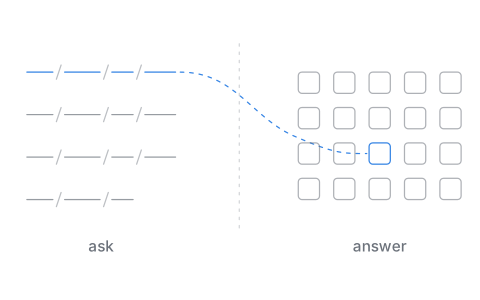
Which brings us to the part Landlock can't do. When an application reaches for something it hasn't been given, like the camera, the microphone or a folder outside its level, the kernel holds that call and asks you: Allow, Just once, or Deny.
::prompt
That simple interface concept was the perfect fit on top of our AppCrates. But that prompt is only the part that you see. What happens after is where AppCrates do the real work. Your answer takes effect on the application immediately. Granting access doesn't need a restart. Taking it away doesn't need one either: the next read is refused, even on a file the application already had open. Meaning unlike Landlock, AppCrates can both expand and remove permissions while the application is still running, and you manage exactly what your software can see and touch, live, from one place.
::oneplace
And for admins, it goes one step further. An admin can lock any application's settings for every account on the machine, setting the most that application is ever allowed. From there, users can only turn things further off, never back on past what the admin has set. Giving admins further control over protections.
When we look at DivisionOS we often find that we end up asking more questions than we answer. We design, build, delete, design, rebuild and delete, all on repeat. One of the reasons we do this is friction. The moment something we build creates friction, we treat it as a failure level, not a user problem. If a user would ever want to climb out of something we built, we built the wrong thing, and it gets deleted.
So let's play the game one last time.
**12:09am:** SupperHackor67's new headset isn't working.
**12:09am:** The chat app asks for the microphone. SupperHackor67 clicks Allow.
**12:10am:** SupperHackor67 hops into voice chat, excited that his mic is working.
There's no ReddIT fix to find, because there's nothing to restart outside of. There is no outside. The chat app was never in a container it could leave. It was an AppCrate from the moment it started, the same as the browser, the same as the desktop, all at the kernel level. It got the microphone because he said so. It never got the browser's data, because nobody said so, and in an AppCrate nothing is reachable unless someone said so.
**10:15am:** SupperHackor67's mom's automated car payment goes through.
We live in the golden age of CVEs. Maybe it's time we start paying attention to the application layer at the system level, and get back to Metal.